
Keep every receipt,
lose the clutter.
Slipless turns crumpled paper into organized data — with budgets, expense reports, recipe scanning, vehicle maintenance, property management, pet tracking, and a calm iPhone experience that keeps everything private.
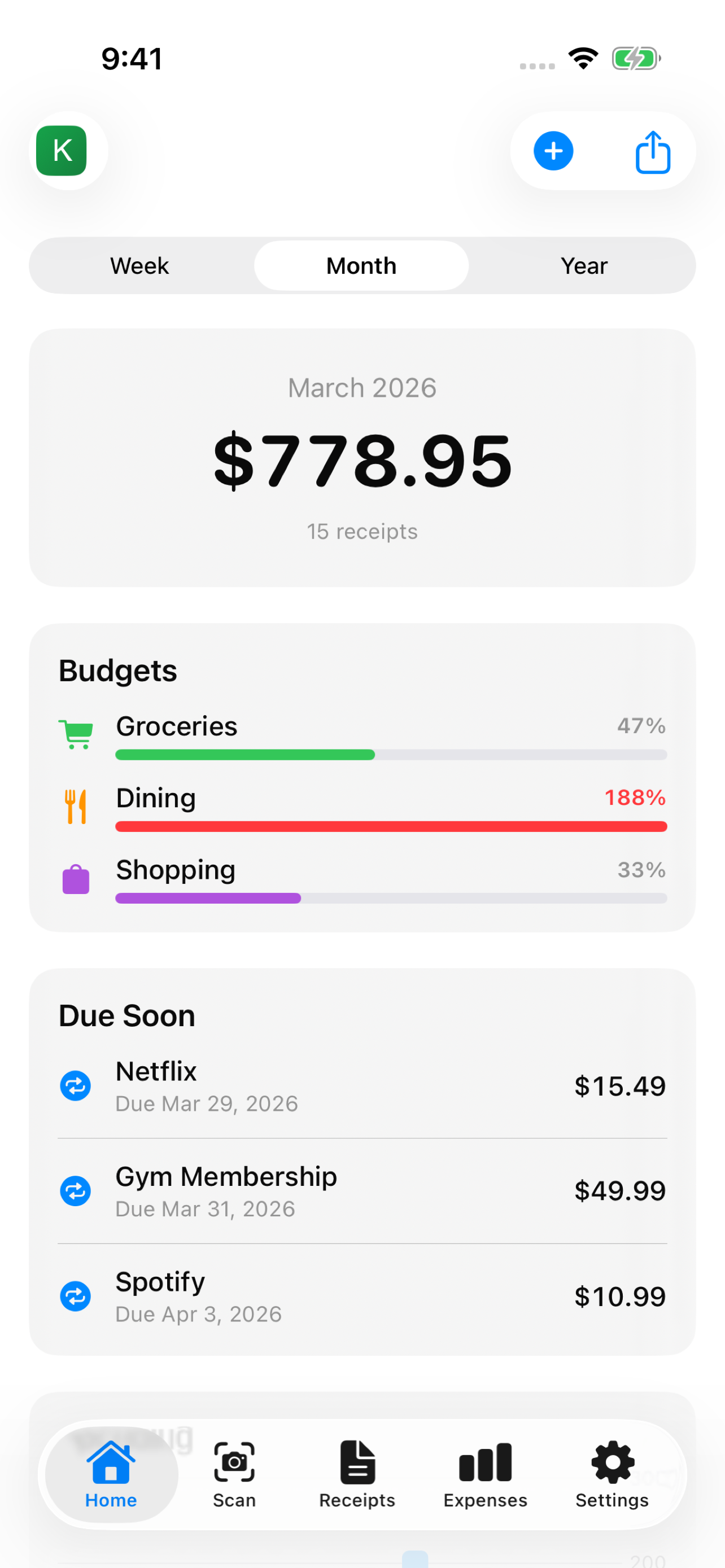
See it in action
Spending dashboard
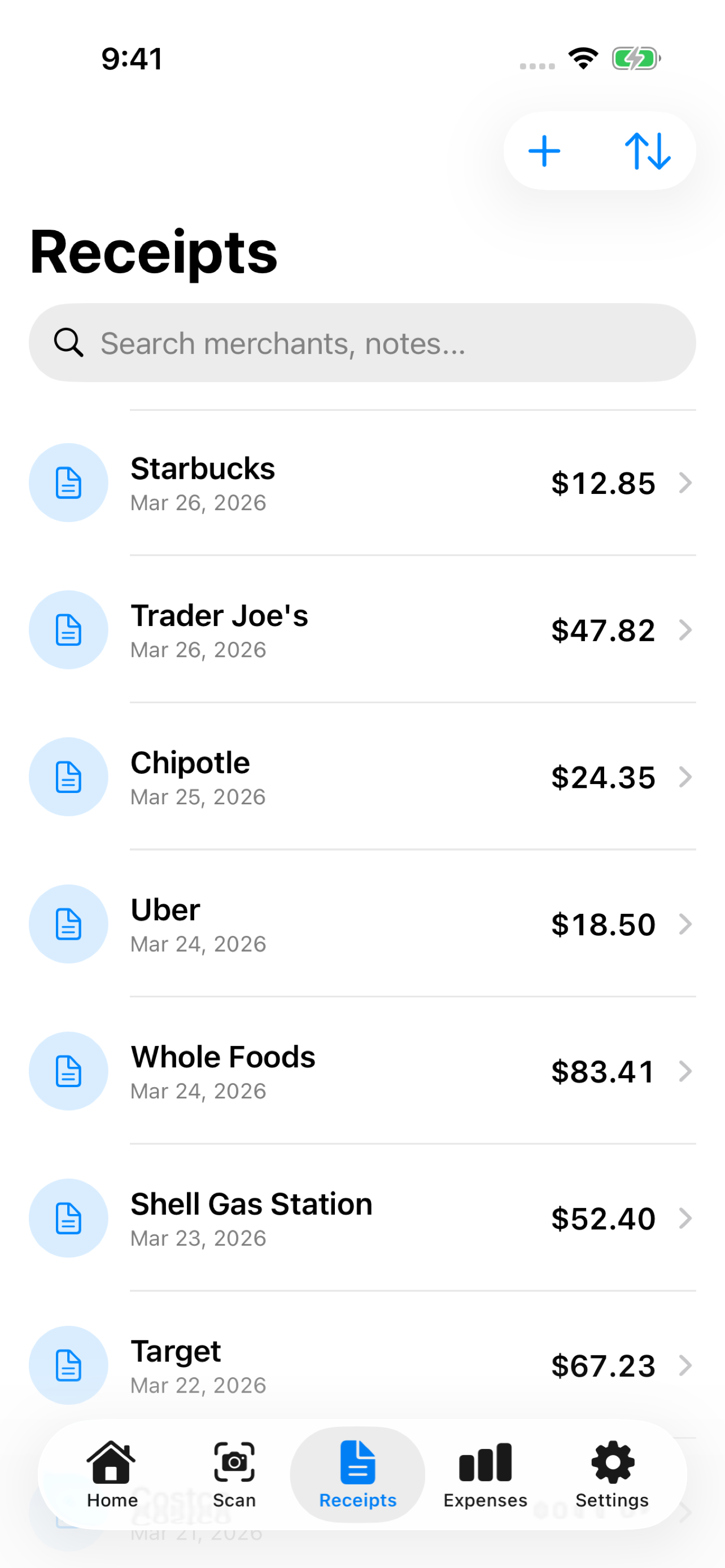
Receipts
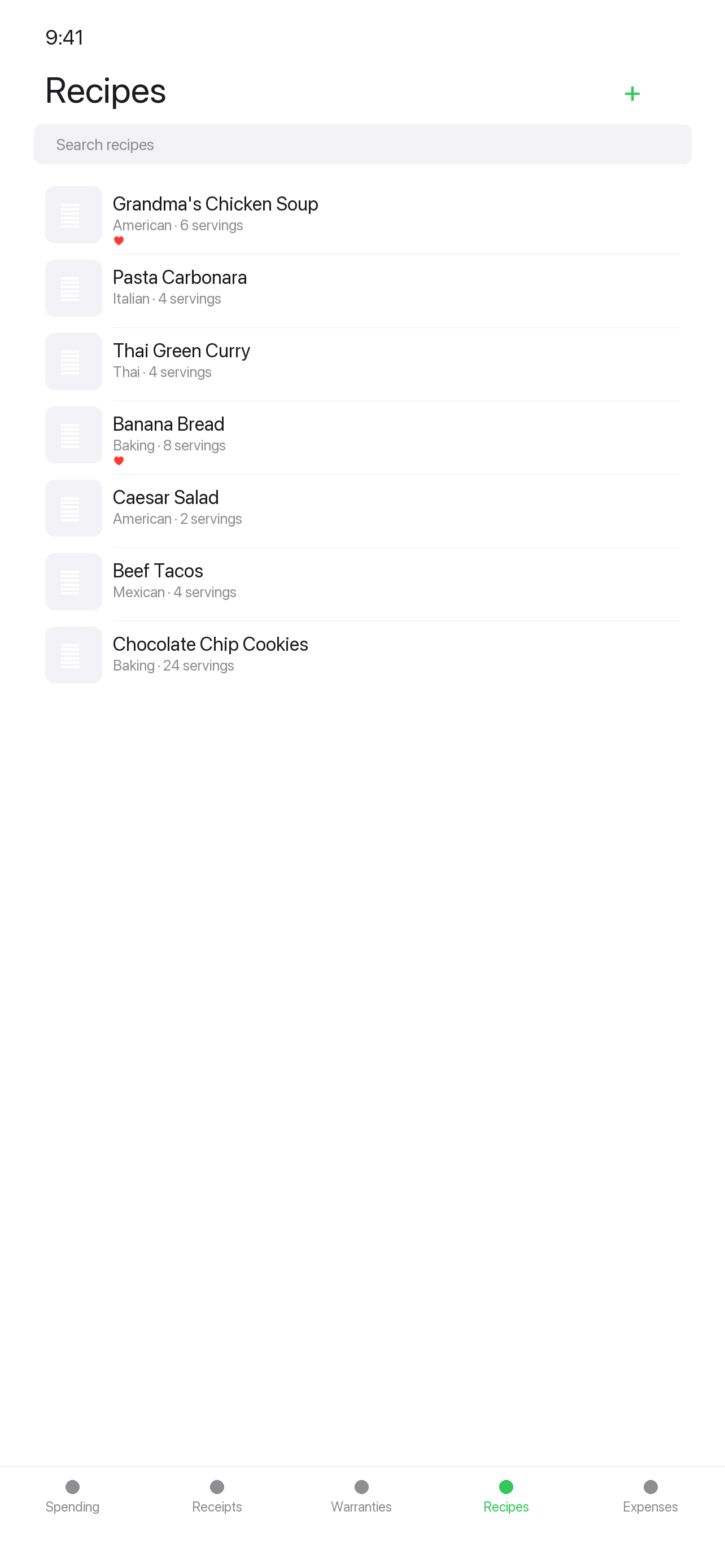
Recipes
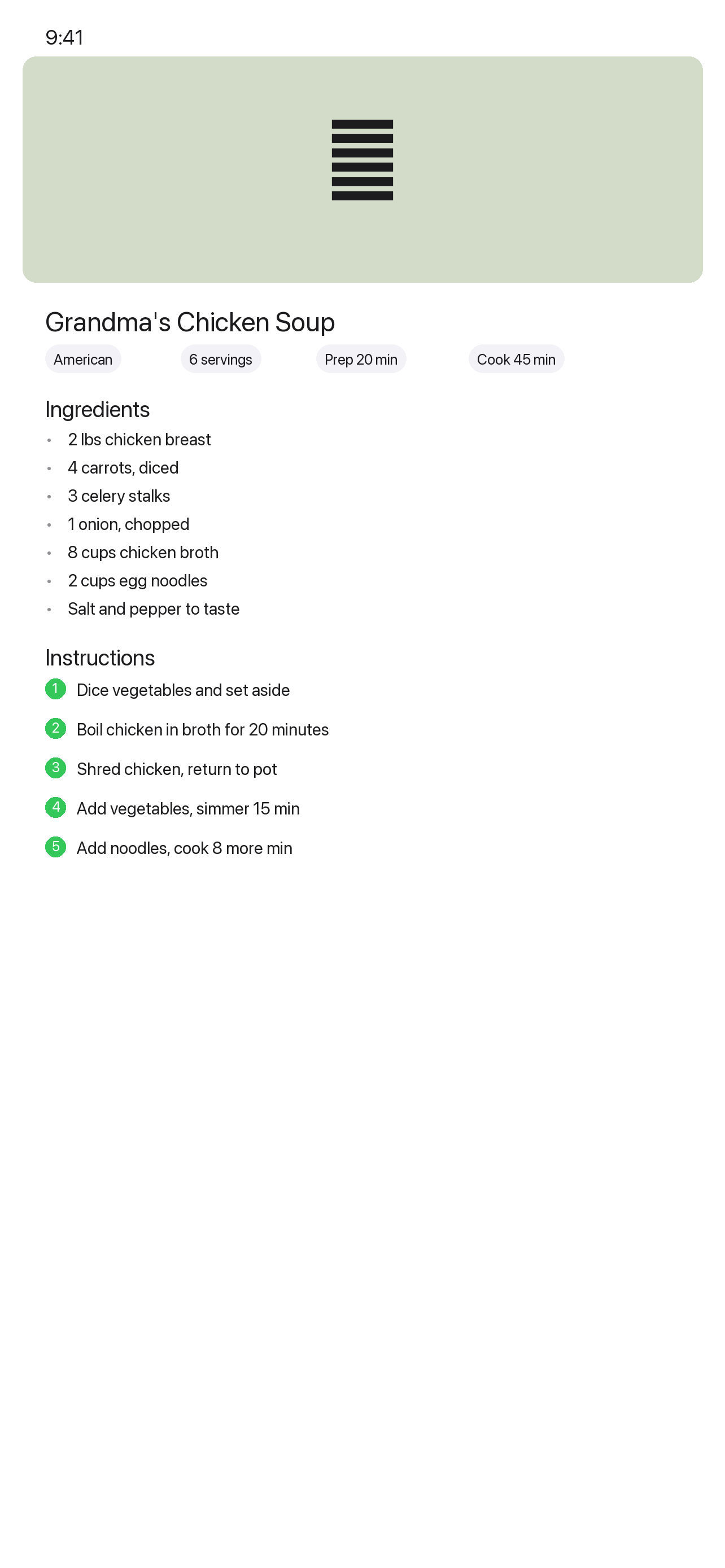
Recipe detail
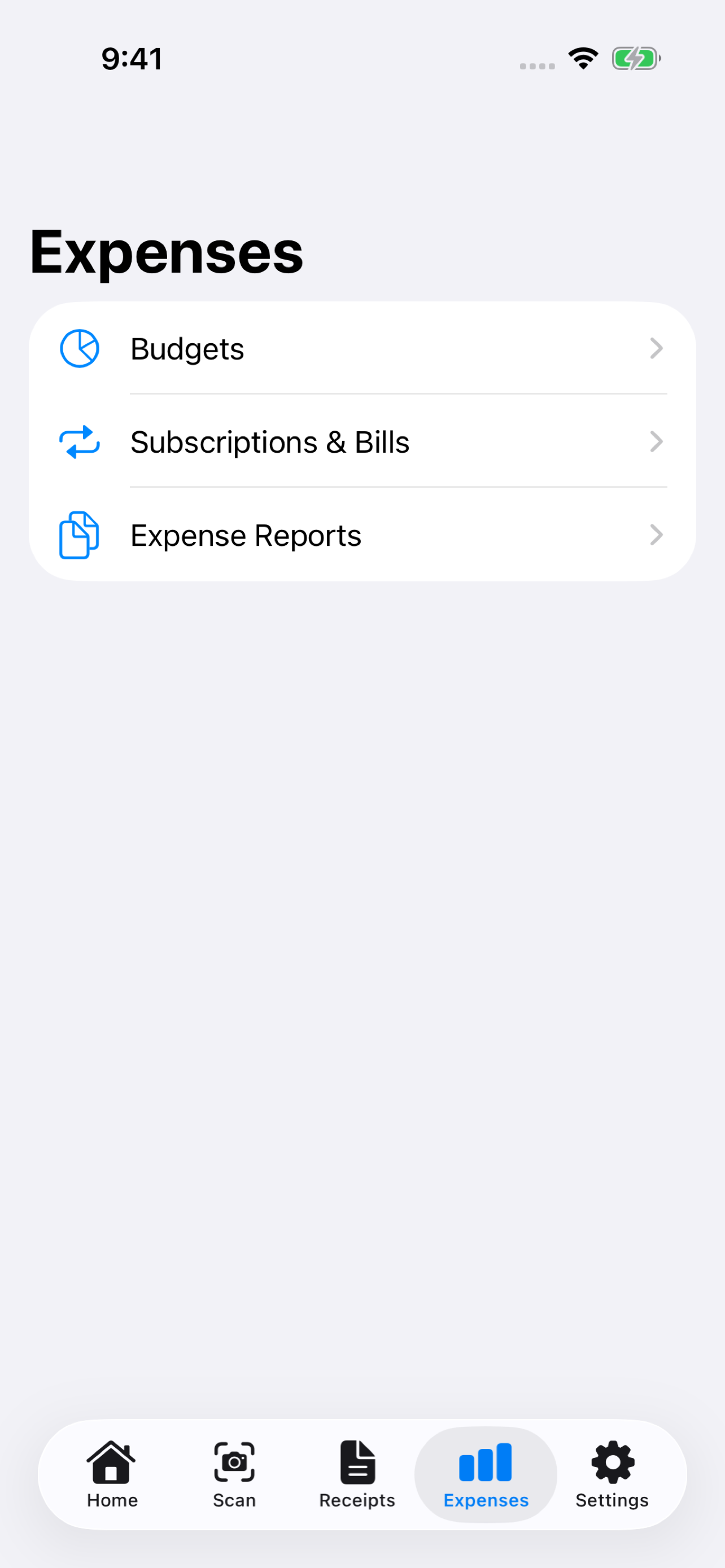
Expense hub
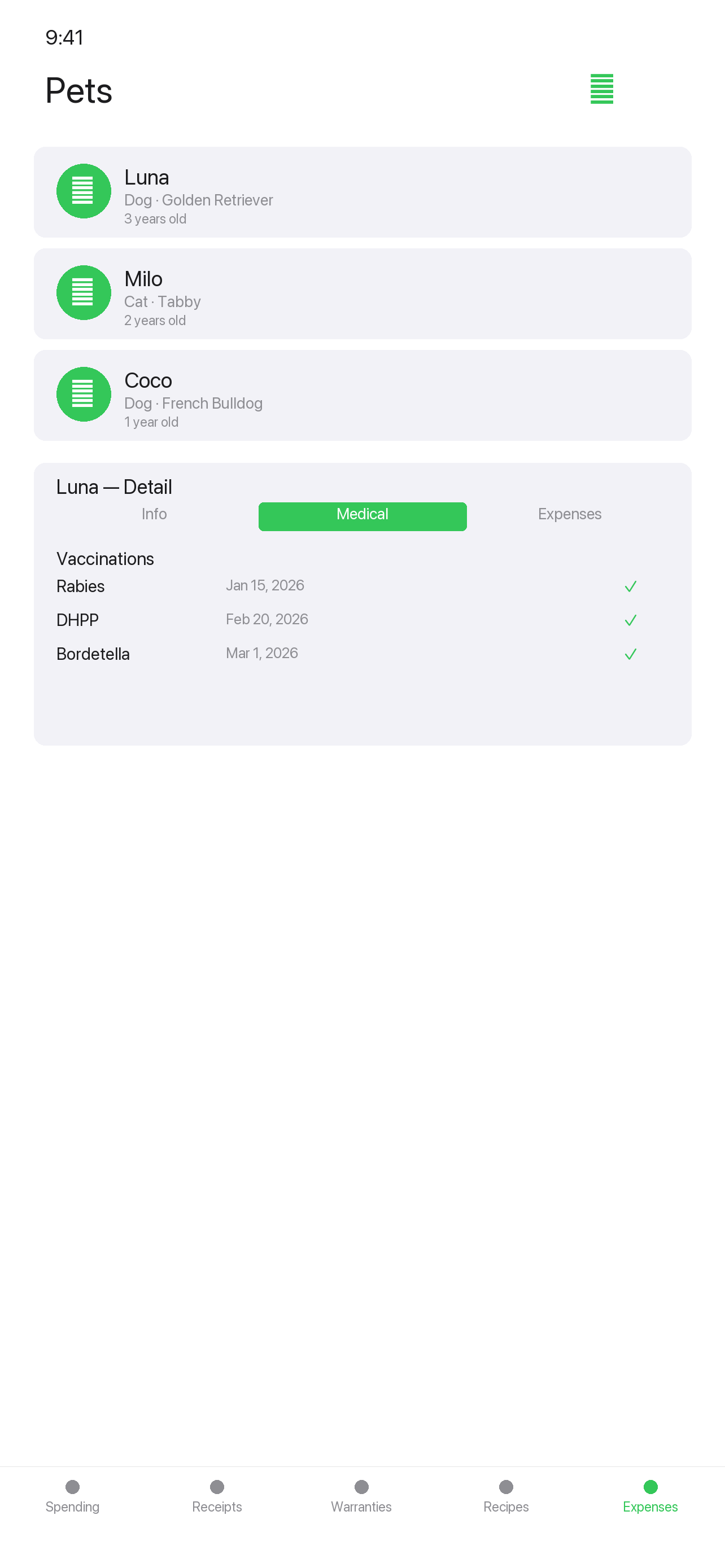
Pet tracking
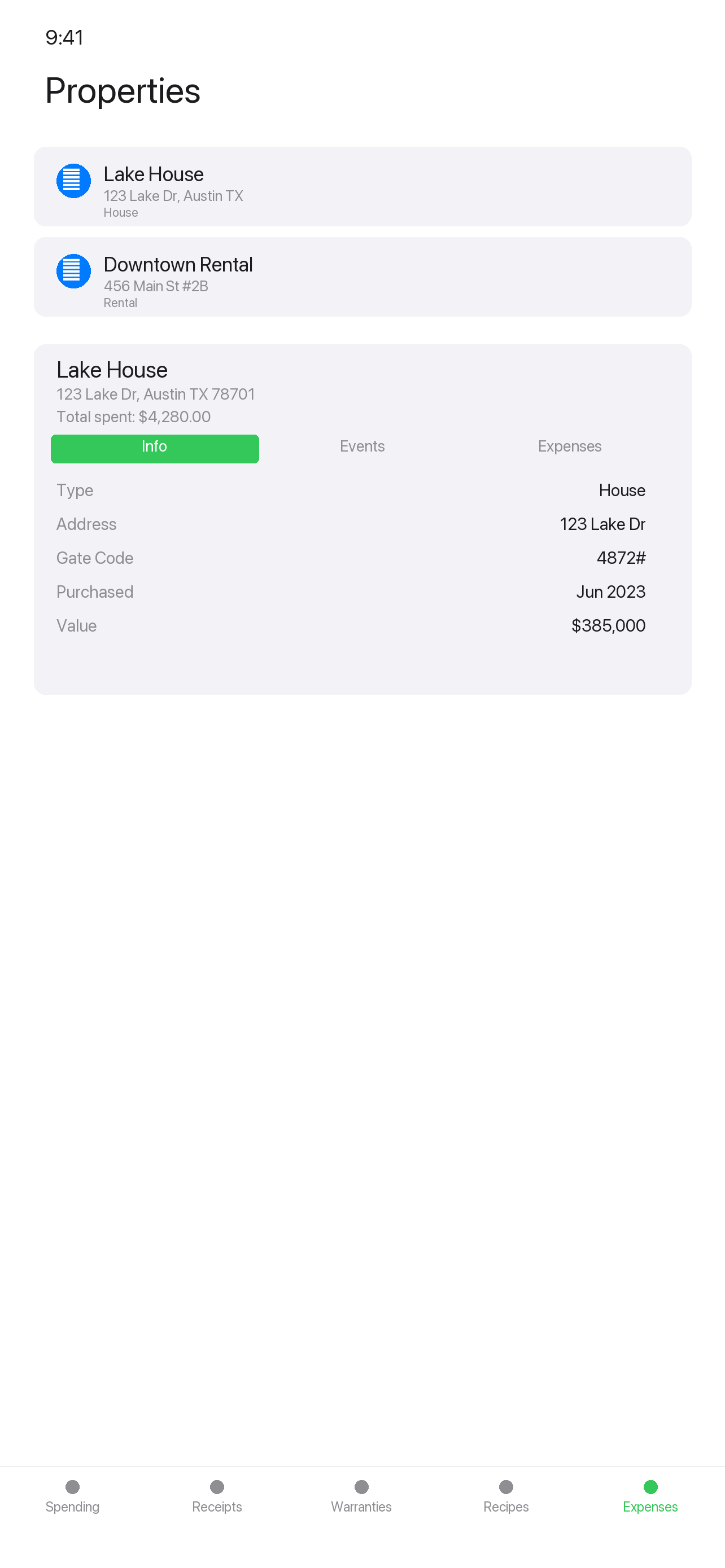
Properties
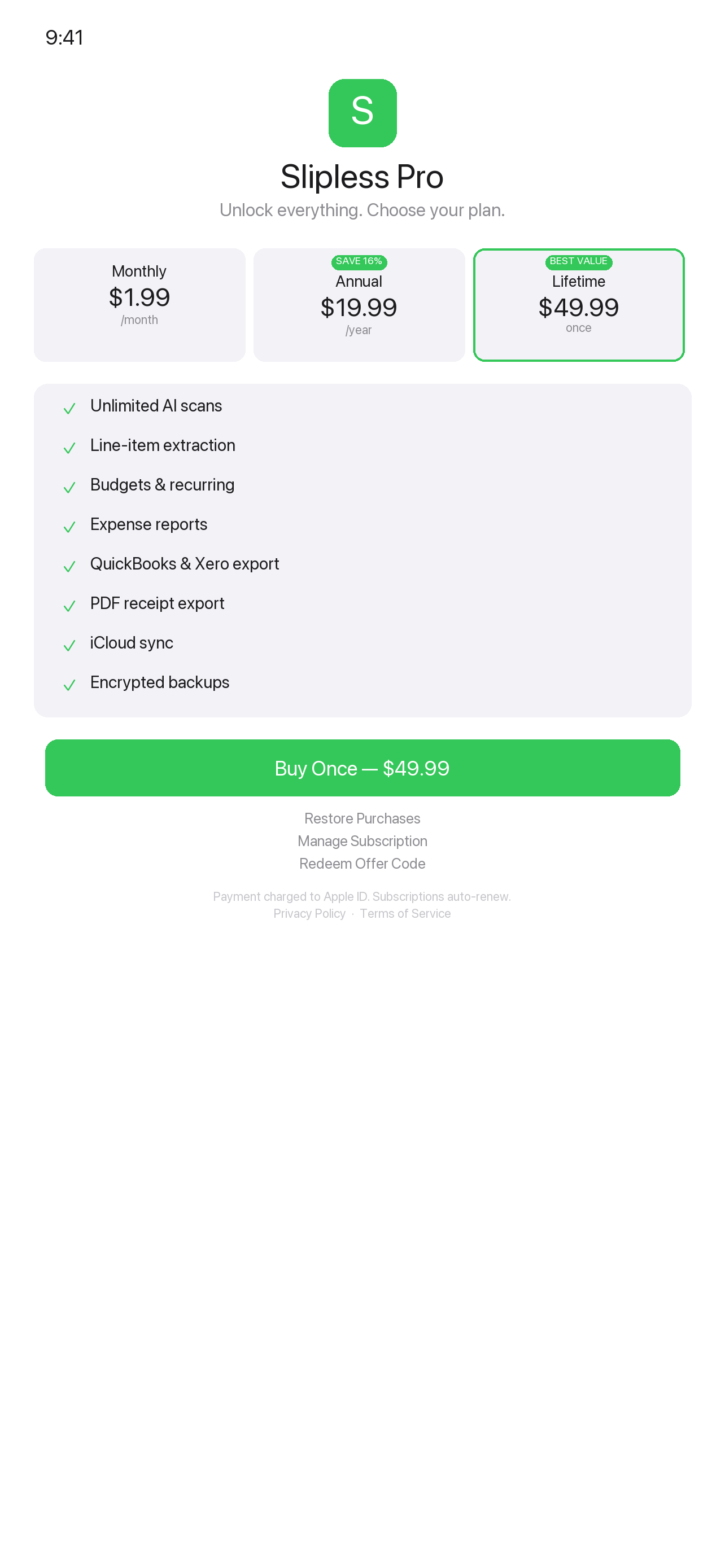
Slipless Pro
Apple Vision AI meets
offline-first design.
Slipless uses Apple's Vision framework for on-device text recognition. No internet needed, no cloud processing, no waiting.
Powered by Apple Vision
Built on Apple’s Vision framework — the same AI that powers Live Text and Visual Look Up. Accurate, fast, and constantly improving with iOS updates.
Works completely offline
No internet required to scan, organize, or search. Every feature works in airplane mode — your data never touches a server.
Every item captured
Slipless reads receipts the way you would — pairing items with prices so you see where money went.
Fast, native scanning
Uses Apple’s VisionKit document scanner for crisp captures, edge detection, and multi-page support.
Spending dashboard
Interactive charts show spending by category, merchant, or month. Daily bar charts, donut breakdowns, and period comparisons.
Smart auto-categorization
Slipless learns from your corrections. Assign Whole Foods to Groceries once, and every future scan auto-categorizes.
Custom categories
Create your own categories with custom icons and colors, or edit the 12 built-in defaults to fit your life.
Warranty scanning
Point your camera at a warranty card and Slipless extracts the product, brand, dates, and serial number automatically.
More than a receipt scanner.
Budgets, subscriptions, expense reports, recipes, vehicle service, property management, pet care, and accounting exports — all in one app, all on your device.
Category budgets
Set weekly, monthly, or yearly limits by category. Progress bars on the dashboard keep you honest.
Subscription tracker
See every recurring bill with due dates and estimated monthly totals. Pause or cancel directly.
Quick expense entry
Log cash tips, parking, and no-receipt expenses in seconds — just merchant, amount, and category.
Expense reports
Group receipts by date range for reimbursement or tax filing. Track status from draft to approved.
QuickBooks, Xero & Wave
One-tap export in the exact format your accountant expects — including IIF for QuickBooks Desktop.
PDF & CSV export
Export individual receipts as clean PDFs or bulk-export everything to CSV for spreadsheets.
Scan & track warranties
Scan warranty cards with your camera to auto-extract product, brand, and duration. Get alerts before they expire — never miss a claim.
Vehicle maintenance
Scan a VIN to add any vehicle. Track service history, log incidents, and see all related expenses in one place.
Property management
Track houses, rentals, and commercial properties. Store gate codes, log repairs and tenant events, add photos, and send property details to anyone.
Pet expense tracking
Add pets with photos, breed, vet info, and food allergies. Track vaccinations, medical history, grooming, and share your pet's info with vets or sitters.
Recipe scanner & import
Scan a recipe card or paste any URL — Slipless extracts the title, ingredients, and steps automatically. Save, edit, and share recipes with anyone.
Scan or import receipts
Open the camera directly from the Receipts tab, import a photo from your library, or add manually — all in one tap.
Encrypted backups
Password-protect your backups with AES-256 encryption. Compressed, encrypted, and only you can restore them.
Three steps. No learning curve.
Saving a receipt should feel effortless, not like admin work.
Snap the receipt
Open Slipless and scan in seconds with Apple's familiar camera.
Watch it organize itself
Totals, dates, merchants, and line items are extracted on-device.
Feel in control
Search, filter, export, or just enjoy never losing a receipt again.
Calm by design
“This feels like the receipt app Apple would have built — simple, fast, and somehow calming.”
Busy parent
“I just wanted one place for warranty receipts, returns, and random expenses. This nails it.”
Freelancer
“Most apps make receipt tracking feel like bookkeeping. Slipless makes it feel effortless.”
Everyday spender
Simple, fair pricing
Start free. Subscribe monthly or save with annual.
Free
Try at your own pace
- ✓Unlimited manual entry
- ✓10 AI scans/month
- ✓Basic CSV export
- ✓12 categories
- ✓Search & filter
- ✓No account required
Monthly
Flexible, cancel anytime
$23.88/year
- ✓Everything in Free
- ✓Unlimited AI scans
- ✓Line-item extraction
- ✓Budgets & reports
- ✓All exports
- ✓Encrypted backups
- ✓iCloud sync
- ✓All Pro features
Annual
Save 16% vs. monthly
Just $1.67/month
- ✓Everything in Free
- ✓Unlimited AI scans
- ✓Line-item extraction
- ✓Budgets & reports
- ✓All exports
- ✓Encrypted backups
- ✓iCloud sync
- ✓All Pro features
- ✓Priority support
No surprise charges. No data harvesting. Subscriptions auto-renew — cancel anytime.
Privacy isn't a feature. It's the foundation.
Receipts reveal where you shop, what you buy, and how you spend. That information stays on your device.
Apple Vision AI
Text recognition powered by the same Apple framework behind Live Text — accurate, fast, and improving with every iOS update.
Fully offline
Scan receipts on a plane, in a basement, or anywhere without signal. No internet connection ever required.
No account wall
Start immediately. No sign-up, no verification emails, no friction.
Your data, your device
Everything lives locally. Optional iCloud sync uses your own Apple ID — Slipless has no server.
Make receipt clutter disappear.
Scan your first receipt in under 10 seconds. One place for purchases, returns, and reimbursements.
Download on the App Store →